
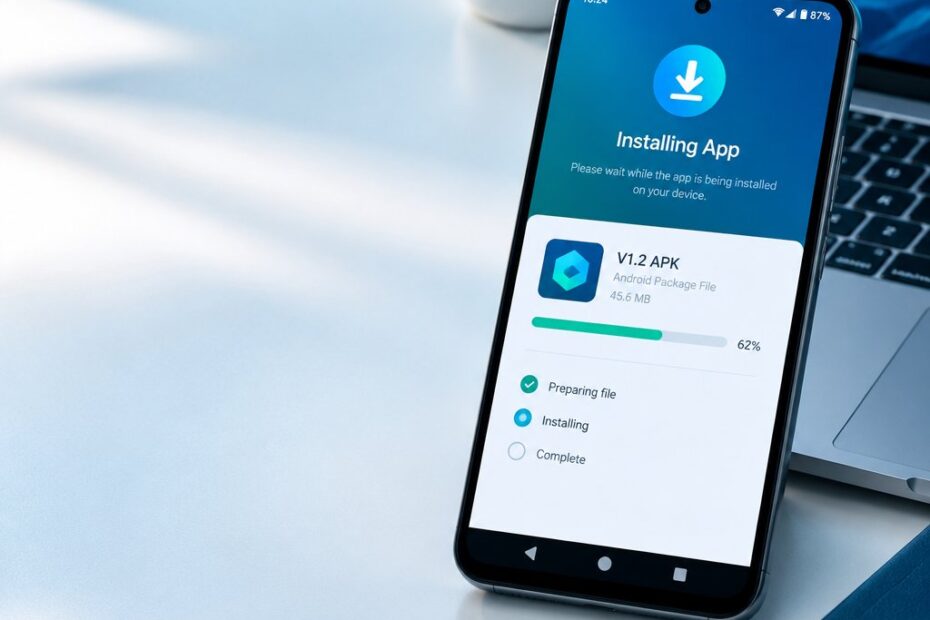
Mega888 v1.2 is the current APK version available for Android devices. You can install the file by downloading it from a verified source, enabling installation from unknown sources in your device settings, and following the on-screen setup prompts. Before you install it, check the file size, version number, and device compatibility.
This page covers the V1.2 build. For the general install route, see our guide to Mega888 APK download for Android, or start with how to download Mega888 in Malaysia.
Android package files carry some risk when they come from unreliable websites. So, it’s important to understand the installation process and know what to verify first.
The sections below cover the download steps, system requirements, and safety checks needed for a proper installation.
App Overview And Version Highlights
Mega888 is a mobile casino application for Android devices, offering slot games and live dealer options in one interface. Version 1.2 is the current stable release. File size varies between sources, so compare it with what your agent or download page lists.
Core Features
Mega888 runs as a standalone APK rather than a Play Store listing. That setup is common for casino-style apps in the Malaysian and Singaporean markets. The interface aims to work for both new users and people already familiar with online casino platforms.
Key features include:
- Slot game library: A range of slot titles with different themes and payout structures
- Live dealer games: Real-time gameplay hosted by live dealers
- Account system: Login and registration functions tied to user accounts
- Mobile-first design: Built specifically for smartphone and tablet screens rather than adapted from desktop
The app targets users who want casino-style entertainment without needing a browser or desktop system.
What Changed In Version 1.2
Version 1.2 follows earlier releases, including version 1.0, with updates focused on stability and compatibility rather than a complete redesign. The update was last confirmed on July 28, 2026.
Users updating from version 1.0 to 1.2 should expect incremental improvements to app performance and installation reliability. The checksum option lets users confirm that the APK hasn’t been altered before installation. That matters for apps distributed outside official app stores.
Device And System Requirements
Running the Mega888 v1.2 APK smoothly depends on a few basic hardware and network factors. Phones that meet these standards usually experience fewer crashes, faster load times, and more stable gameplay.
Android Compatibility
Mega888 v1.2 works on most Android devices running Android 5.0 (Lollipop) or higher. Newer versions, such as Android 9, 10, or 11, generally provide smoother performance and better graphics rendering.
Brands like Samsung, Xiaomi, Oppo, and Vivo are compatible as long as the device meets the minimum processing requirements. A device with at least 2GB of RAM is recommended for stable operation.
Older or budget phones may still run the app, but users might notice slower loading screens or occasional lag during live dealer games. Devices with outdated firmware may also need a system update before installation.
Storage And Network Needs
The APK itself is relatively small, but the app needs extra space to run smoothly. At least 150MB to 250MB of free storage is advisable for updates and cached data.
A stable internet connection matters just as much. Wi-Fi is preferred for uninterrupted sessions, especially during live dealer games that stream in real time.
For mobile data users, a 4G connection is the minimum standard for avoiding buffering. Weak or fluctuating signals can cause disconnections mid-game, so a consistent network remains essential.
Safe Source Evaluation
Mega888 isn’t distributed through the Google Play Store or Apple App Store, so every download comes from a third-party site. That makes source evaluation and file verification the two main safeguards against malware or fake apps.
Official Availability
Mega888 doesn’t have a single official website recognized by Android or iOS platforms. Instead, most users get the APK through agent sites, forums, or dedicated download pages that claim to host verified versions.
Some download pages list version details like Mega888_V1.2, a file size and a verification date to build trust, and some add checksum information. Treat those as claims to cross-check, not proof.
Because no centralized authority confirms legitimacy, availability varies by region and agent network. Users should be cautious with any site claiming to be the sole official source, since several platforms make similar claims.
File Authenticity Checks
Verifying an APK before installation reduces exposure to tampered files. Key details to confirm include:
- File name: should match the expected format, such as Mega888.apk
- Version number: current listings reference V1.2 as the latest verified build
- File size: should match the size listed by the source you trust
- Last verified date: recent dates suggest more active monitoring by the source
- Android compatibility: confirm the minimum Android version the source lists
Cross-referencing these details across two or three independent sources can help identify inconsistencies. A mismatched file size or unusually old version number often points to an outdated or altered APK.
Installation Process
Installing Mega888 V1.2 APK requires a few device setting changes before the file will run. After that, users follow a short setup sequence to activate the app. Android and iOS devices need different configurations, so the process isn’t exactly the same on both.
Preparing Android Settings
Android blocks installations from outside the Google Play Store by default. Users must enable installations from unknown sources before the APK file will open.
The steps are:
- Open Settings on the Android device.
- Navigate to Security or Apps & notifications, depending on the device model.
- Select Install unknown apps or Unknown sources.
- Choose the browser or file manager used to download the APK.
- Toggle the permission to Allow from this source.
Google Play Protect may flag the file during this process. That’s expected for apps not distributed through the Play Store, and it doesn’t necessarily mean the file has a security problem.
Completing The Setup
Once the settings are ready, locate the downloaded APK, usually in the Downloads folder, and tap it to begin installation. A prompt will display the app’s requested permissions before the installation continues.
When installation finishes, the Mega888 icon appears on the home screen or in the app drawer. The first launch may require account registration or login credentials if the user already has an account.
The app may request extra permissions, such as storage access, to work properly. Users should confirm that the app opens without error messages before moving on to gameplay.
Account Access And Game Navigation
Signing in and moving through the game library are the two steps most players repeat whenever they open the app. Both processes are designed to be quick, with only a few screens between login and gameplay.
Sign-In Options
Mega888 v1.2 requires a registered username and password to access an account. New users typically get these credentials through an authorized agent or the official registration channel, since the app doesn’t offer open self-registration.
A free Test ID is also available for players who want to try the platform before committing real funds. It lets users browse the interface and sample select games without connecting a funded account.
After logging in, the app remembers session details on most devices, so users don’t need to enter their credentials every time. Players should still store their login information securely because account recovery options are more limited than those on mainstream app store platforms.
Finding Available Games
The app organizes its library by category, making it fairly easy to find a specific type of game. Common groupings include:
- Slots – the largest category, with varying themes and RTP rates
- Live dealer games – table games streamed in real time
- Fishing games – arcade-style titles with straightforward mechanics
- Table games – classic casino options like blackjack and roulette
A search or filter function on the home screen helps narrow the results quickly. Icons and thumbnails preview each game before it loads, cutting down on unnecessary clicks. Users can usually bookmark favorites too, which makes it easier to return to preferred titles without scrolling through the full menu.
Security, Privacy, And Responsible Play
Installing an APK outside the Google Play Store puts more responsibility on the user. Checking permissions before installation and setting account limits after logging in are two practical ways to reduce risk. Both steps take only a few minutes, but they affect how much control a player keeps over their device and spending.
Permission Review
Before installing the Mega888 v1.2 APK, Android displays the permissions the app requests. Players should compare that list with what a casino game actually needs to work.
Reasonable requests include:
- Storage access — for saving game data and cache files
- Network access — for connecting to game servers
- Notification access — for account alerts or promotions
Requests outside this scope, such as access to contacts, call logs, or SMS messages, aren’t necessary for a slots app and should raise concerns. Users can review and adjust permissions individually through Android’s app settings after installation. Disabling anything unrelated to gameplay typically won’t affect the app’s core functions.
Deposit Limits And Self-Exclusion
Mega888 accounts allow players to set deposit limits, which cap the amount added to an account over a daily, weekly, or monthly period. Users set these limits through account settings, and they typically take effect with the next deposit cycle rather than immediately.
Self-exclusion works differently. It temporarily or permanently blocks account access, and players can usually choose a fixed period, such as 30 days, 90 days, or longer, depending on the options available through the platform.
Once activated, self-exclusion can’t usually be reversed early through a casual account request. Players generally need to contact support directly. Both tools give players a way to manage spending and playtime before either becomes a larger issue.
Troubleshooting Common Issues
Most problems with Mega888 v1.2 fall into two categories: the APK won’t install properly, or the app installs but can’t connect to the server. Both issues usually have simple fixes.
Installation Errors
Installation failures typically come from device settings or corrupted files rather than the app itself.
Common causes include:
- Blocked permissions – Android blocks installs from unknown sources by default
- Insufficient storage – keep at least 250MB free
- Corrupted APK file – Partial or interrupted downloads often cause this
- Outdated Android version – Older OS versions may not support v1.2
- Leftover files from a previous Mega888 installation
To fix these issues, users should enable “Install Unknown Apps” in their device settings, delete old APK files, and download the file again from the official source. Removing previous Mega888 versions before installing v1.2 can also prevent conflicts. Restarting the device after installation often clears up lingering errors.
Login And Connection Problems
Login issues usually come from an unstable network, incorrect credentials, or server maintenance.
You’ll need a stable internet connection, since intermittent connectivity can cause login timeouts. If the errors continue after you’ve tried the basic fixes, contact official Mega888 support. That’s usually the most reliable next step.
Related guides: APK Mega888: what you need first, the Mega888 original download checklist and the Mega888 iOS download guide for iPhone users. Back to the Mega888 game app homepage.
Mega888 V1.2 APK: Frequently Asked Questions
What is Mega888 V1.2?
V1.2 is the Android APK build referenced by several download pages. Confirm with your agent that it is the build they currently support.
What Android version does V1.2 need?
Phones on Android 5.0 or higher are generally listed as compatible, but check the minimum your source states.
How do I verify the V1.2 file?
Compare the version label and size with your source, use a checksum if one is published, and review the permissions Android lists before installing.
Can I install V1.2 on an iPhone?
No. An APK is an Android file. iPhone users should follow the iOS guide instead.