
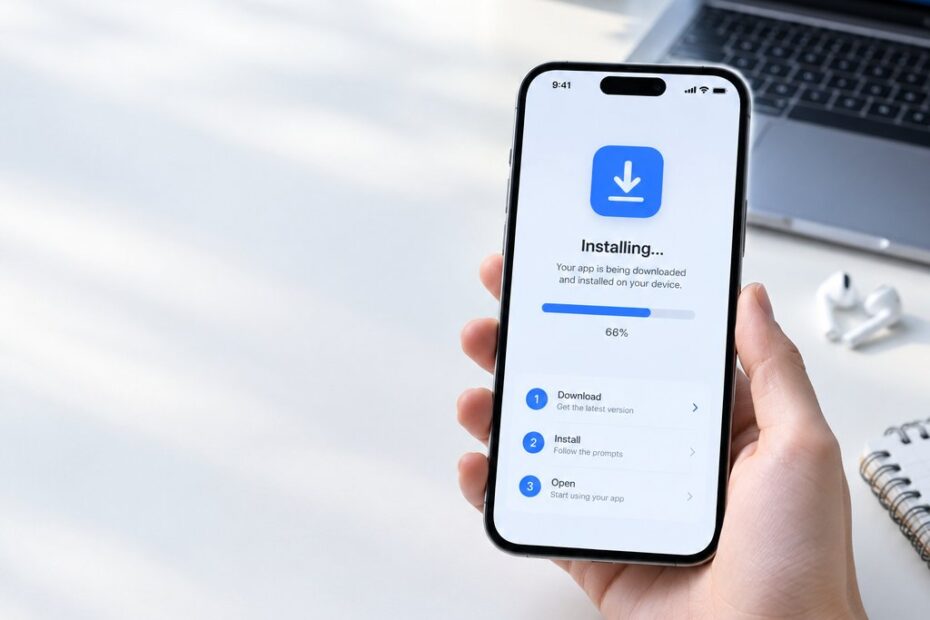
Mega888 doesn’t have a version listed on the official Apple App Store, so iPhone and iPad users need to install it through a direct download link from an official source. The process typically involves downloading a configuration profile, trusting it in device settings, and then installing the app icon that appears on the home screen.
This guide covers iPhone and iPad installs. Android user? See the Mega888 APK download for Android instead, or read our general guide to downloading Mega888 in Malaysia.
This method differs from a standard App Store installation. That can leave some users unsure about the correct steps or concerned about device security. Understanding the trust profile flow, and knowing which sources count as official, helps reduce installation errors and unwanted software.
The sections below explain how the iOS download process works, what to check before installing, and how to keep the app running smoothly on Apple devices.
Platform Overview

Mega888 operates as an online casino platform originating in Southeast Asia. Slot games make up its main focus, alongside table games and live dealer options. The iOS version replicates the core platform functions found on Android, adapted for Apple’s operating system and hardware.
Available Game Categories
Mega888 organizes its library into several distinct categories. Slot games make up the largest portion, ranging from classic three-reel formats to video slots with multiple paylines and bonus rounds.
Beyond slots, the platform includes:
- Table games such as blackjack and roulette
- Live dealer games that stream real-time gameplay hosted by dealers
- Fishing games, a category popular among players in Malaysia and Singapore
- Jackpot slots with progressive prize pools that increase as players wager
Each category appears in the app’s main menu, and the game selection stays consistent between the iOS and Android versions. Players on iPhone and iPad devices can expect the same title count and game mechanics as Android users, since Mega888 maintains a shared game backend across platforms.
Service Availability by Region
Mega888 primarily serves players in Malaysia, Singapore, and other parts of Southeast Asia. Its interface, customer support, and payment processing focus on these markets.
Access outside these regions varies. Some players in neighboring countries can reach the platform, but currency support, local payment methods, and customer service responsiveness remain strongest in its core markets.
Regulatory conditions differ by country, and online gambling laws across the region aren’t uniform. Players must confirm that accessing and using the platform complies with local regulations before downloading or registering.
iPhone and iPad Requirements
Compatibility depends on the device’s iOS version, available storage, and network stability. Older devices may face restrictions, while a stable Wi-Fi connection can make installation and gameplay smoother.
Supported iOS Versions
Mega888 typically requires iOS 12 or later for stable performance. Devices running older iOS versions may encounter installation errors or app crashes.
Apple’s regular software updates mean most iPhone models from the last several years, including iPhone 8 and newer, meet the baseline requirement. iPad users should make sure their device runs iPadOS 13 or above.
Before installation, users should check their current iOS version under Settings > General > About. Updating to the latest supported version reduces compatibility issues and improves security during the installation process.
Storage and Network Needs
At least 150MB to 250MB of free storage space is recommended for a smooth installation. Updates or cached game data may require additional space over time.
A stable internet connection is essential, whether users connect through Wi-Fi or mobile data. Wi-Fi is generally preferable because it reduces the chance of interrupted downloads and limits data usage.
Users on slower or unstable networks may experience longer download times or verification delays while setting up the installation profile.
Official Access Options
iPhone and iPad users have three practical routes to reach Mega888: the App Store, browser-based access, and vetted operator platforms. Each option has different security implications, and understanding them helps users avoid fraudulent files.
App Store Availability
Mega888 doesn’t maintain a native app listed on Apple’s App Store. This matches the way most third-party casino platforms operate, since Apple’s guidelines restrict real-money gambling apps unless they meet strict regional licensing requirements.
Users searching the App Store directly won’t find an official Mega888 listing. Any app claiming to be Mega888 on the App Store deserves caution, as it likely doesn’t represent the genuine platform.
This absence doesn’t mean iOS users are locked out. It simply means the installation process differs from a typical App Store download and relies on the alternative distribution methods described below.
Browser-Based Play
The most straightforward option for iOS users is accessing Mega888 through a mobile browser such as Safari or Chrome. This method requires no installation file and loads the platform directly through a verified web address.
Browser access offers several practical advantages:
- No installation risk — nothing is downloaded to the device
- Instant updates — the platform loads the current version automatically
- Compatibility — works across most iOS versions without configuration
- Reduced storage use — no app file occupies device space
Performance may vary slightly compared with a dedicated app, particularly with graphics-heavy slot titles. Still, browser play remains a reliable fallback for users who’d rather not install external files on their device.
Trusted Operator Channels
Since no App Store version exists, users typically obtain the Mega888 iOS installation file through official operator websites or verified affiliate links. These channels usually provide a direct .ipa file or a guided installation profile.
Before downloading, users should confirm that the source is legitimate. Signs of a trustworthy channel include:
- A clearly stated official domain matching the operator’s branding
- Consistent download instructions across multiple verified pages
- No requests for excessive personal information before download begins
Third-party forums and unofficial file-sharing sites carry greater risk because they may host modified or outdated files. Sticking to recognized operator channels reduces exposure to malware and helps protect account credentials during installation.
Installation and Setup
Getting Mega888 running on an iOS device involves adjusting a few system settings, completing the profile installation, and registering a player account. Users need to complete each step in order, since skipping ahead often causes installation errors.
Preparing Device Settings
Before installing anything, iPhone and iPad users should check their device’s storage and iOS version. Mega888 typically requires iOS 12 or later and at least 200MB of free space.
Since the app doesn’t come through the App Store, users must allow installation from an untrusted developer profile. They can do this by:
- Opening Settings
- Going to General
- Selecting VPN & Device Management (or Profiles, depending on the iOS version)
This step doesn’t install anything yet. It simply prepares the device to accept the configuration profile that appears during the download.
Completing the Installation
Once the settings are ready, the user downloads the Mega888 iOS installation file from the official source. A prompt asks for permission to install the configuration profile, and the user must accept it to proceed.
After the download, the app icon appears on the home screen, but it won’t open immediately. iOS flags it as an unverified developer, so the user must return to Settings > General > VPN & Device Management, select the Mega888 profile, and tap Trust.
This action manually confirms the developer certificate. After the user trusts it, the app can launch like any other installed application.
Creating an Account
After installation, the app opens to a login screen where new users can register. Account creation usually requires basic details such as:
- A valid username
- A secure password
- A contact number for verification
Some versions also prompt users to register through a customer service agent instead of an in-app form. That approach is common among Malaysian operators. Once verification is complete, the account becomes active and ready for deposits.
Users should never share their account credentials, since most cases tie each login to a single registered device session.
Account Security and Privacy
Protecting login credentials, understanding the personal data an app requests, and spotting fraudulent download links are the three areas that most directly affect account safety.
Login Protection
Players should create a unique password for their Mega888 account instead of reusing one from another platform. A strong password usually combines letters, numbers, and symbols, making it harder to guess or crack.
It’s also wise to avoid saving login credentials on shared or public devices. If the app or a related service offers two-factor authentication, enabling it adds another layer of protection against unauthorized access.
Players should log out after each session, especially on devices that other people use. Updating the password every few months also reduces the risk of long-term exposure if a data leak compromises credentials elsewhere.
Personal Data Considerations
Mega888 iOS installation usually requires basic account information, including a username, contact number, and banking details for withdrawals. Players should submit this information only through the official app or verified provider channels, not through third-party websites requesting the same data.
Players should never share personal or financial details with unofficial “agents” who claim to help with account setup. Legitimate platforms don’t typically request sensitive information, such as banking passwords, through email or chat messages.
Reviewing the app’s privacy policy, when available, can clarify how the platform stores and uses data. Players concerned about data retention can also request account deletion or data removal through customer support channels, where that option exists.
Recognizing Unsafe Links
Unofficial download links rank among the most common security risks. They often appear on third-party forums, social media ads, or unfamiliar websites promising faster downloads or bonus incentives.
Signs of an unsafe link include:
- Mismatched URLs that don’t match the official domain
- Requests for upfront payment before installation
- Poor grammar or formatting on the download page
- Lack of HTTPS encryption, visible in the browser address bar
Players should verify the source before entering personal or payment information. Sticking to verified channels, as noted in official guides, reduces exposure to phishing attempts and fraudulent app versions designed to steal login credentials or financial data.
Payments and Verification
Managing funds on Mega888 involves selecting a deposit method, completing identity checks, and meeting specific conditions before withdrawing winnings. Each step follows a set process that helps keep accounts secure and transactions traceable.
Supported Deposit Methods
Mega888 typically supports several deposit channels, depending on the region and the agent handling the account.
- Bank transfers: Direct transfers from local banks are widely accepted and often processed within minutes.
- E-wallets: Services such as Touch ‘n Go or GrabPay may be available in certain markets.
- Online banking: Many agents offer internet banking options linked to major banks.
Deposit minimums usually start at a low amount, though the exact figure varies by agent. Players should confirm the payment channels with their specific Mega888 agent because the platform operates through third-party operators rather than one centralized payment system. Using an unofficial or unverified deposit channel increases the risk of losing funds.
Identity Verification Process
Verification confirms that the account holder matches the registered details before deposits or withdrawals proceed.
New users typically provide:
- A valid phone number or email address
- Full name matching bank or e-wallet details
- Proof of account ownership, such as a screenshot of a bank statement
Agents may also request a secondary confirmation step, such as a one-time password sent by SMS. This process protects against unauthorized access and reduces fraud risk. Users should always complete verification over a secure, private connection rather than public Wi-Fi.
Verification delays often result from mismatched personal details or incomplete registration forms, so accuracy at signup matters.
Withdrawal Conditions
Withdrawals depend on the account’s verification status and the specific terms set by the agent facilitating the transaction.
Common conditions include:
- Minimum withdrawal amount: Often set at a fixed threshold before a request is accepted.
- Matching payment details: The withdrawal account must match the name used during registration.
- Processing time: Requests are usually reviewed and processed within a set window, often same-day for verified accounts.
Bonus funds may carry separate rollover requirements before they qualify for withdrawal. Players should review these terms directly with their agent, since conditions differ across regions and operators. Keeping registration details accurate from the start helps avoid delays when requesting a payout.
Responsible Gaming Practices
Downloading Mega888 for iOS gives players access to a wide range of slot and casino games. Using the app responsibly requires attention to spending, age eligibility, and available support tools. These practices help players maintain control over their gaming habits and avoid financial or personal harm.
Setting Spending Limits
Players should establish a fixed budget before opening the app and treat it as a strict boundary, not a suggestion.
A practical approach includes:
- Daily or weekly caps: Deciding on a specific amount that can be spent within a set timeframe.
- Separate accounts: Using a dedicated account or e-wallet for gaming funds, separate from savings or essential expenses.
- Avoiding chasing losses: Stopping play once the set limit is reached, regardless of recent outcomes.
Tracking spending over time helps players identify patterns and adjust limits when needed. Some players find it useful to log transactions manually because the app may not always display a cumulative spending history.
Understanding Age Restrictions
Mega888, like most online casino platforms, requires users to meet a minimum age before creating an account or downloading the app.
In most jurisdictions where the platform operates, including Malaysia and Singapore, the legal gambling age is 18 or 21, depending on local regulations. Players must confirm the specific age requirement in their region before registering.
Age verification may occur during account setup or when processing withdrawals, and false information can lead to account suspension. Parents and guardians should also monitor device access to prevent underage use, particularly on shared iPads or family iPhones.
Finding Support Resources
Players who feel their gaming habits are becoming difficult to control can seek help through several channels.
Many regions offer free, confidential helplines staffed by trained counselors. Players dealing with financial strain, emotional distress, or a loss of control during gaming should reach out early, rather than waiting for the problem to escalate.
Troubleshooting Common Issues
Mega888’s iOS installation relies on enterprise certificates instead of the App Store. As a result, it can produce error patterns that Android devices don’t typically show. Most problems fall into three categories: failed installations, login or connection failures, and compatibility issues after an iOS update.
Installation Errors
The most frequent installation error is the “Untrusted Enterprise Developer” message. iOS shows it because the system blocks apps installed outside the App Store by default.
To fix it, approve the developer manually:
- Open Settings and go to General
- Select VPN & Device Management (or Profiles & Device Management on older iOS versions)
- Tap the developer profile linked to Mega888
- Select Trust
If the app won’t install at all, storage space often causes the problem. Mega888 needs a minimum amount of free space, and a nearly full device can interrupt the download halfway through.
A weak or unstable internet connection may also corrupt the installation file. Switching from Wi-Fi to mobile data, or the other way around, often fixes incomplete downloads.
Login and Connectivity Problems
Login failures usually come from incorrect credentials, server downtime, or network instability rather than the app itself. First, users should confirm that they entered their username and password correctly, since the login field is case-sensitive.
If the credentials look right but login still fails, the problem may be on the server side. Mega888 occasionally undergoes maintenance, and login attempts can return an error regardless of connection quality.
Firewall or VPN interference can cause connectivity problems, too. Some VPN services block gaming traffic, which leads to timeouts during login or gameplay.
Quick checks:
Update Compatibility
iOS updates sometimes disrupt compatibility with enterprise-signed apps like Mega888. After a major iOS update, the app might crash when it launches or fail to open altogether.
This happens because Apple periodically revokes certificates linked to enterprise developer accounts, particularly after security patches. When that occurs, the existing installation becomes unusable until someone issues a new certificate.
The only reliable fix is to download the latest APK-equivalent build from the official Mega888 distribution page and reinstall it. Reinstallation usually means repeating the trust verification steps outlined earlier.
Users running beta versions of iOS face a higher risk of compatibility issues. Enterprise apps get tested mainly against stable releases, after all.
Keeping the Software Current
Because Mega888’s iOS version doesn’t come through the App Store, its updates work differently from those of most Apple applications. Users need to check for new versions manually and reinstall the app when an update becomes available.
Checking for New Releases
The Mega888 iOS app doesn’t receive automatic notifications through Apple’s standard update system. Instead, users should visit the official Mega888 website from time to time and confirm that they have the latest version installed.
New releases typically address bug fixes, security improvements, and compatibility with newer iOS versions. Playing with an outdated version can cause crashes, login errors, or game-loading problems.
A quick way to verify the current version:
- Open the app and check the version number, usually listed in the settings or “About” menu.
- Compare it against the version number listed on the official download page.
- If there’s a discrepancy, download the newer file directly from the source.
Skipping this check for too long increases the likelihood of running into technical problems during gameplay.
Managing Automatic Updates
Because Mega888 operates outside the App Store, iOS doesn’t manage its updates automatically as it does for other apps. The system has no built-in way to push new versions to a user’s device without manual action.
Users therefore need to reinstall the app whenever a new version appears. Usually, that means deleting the old version first, then downloading and installing the updated file from the official site.
Some users enable notifications on the Mega888 website or check it on a set schedule, perhaps once a month, to keep up with new releases. Using third-party sources for update files creates extra security risks, so the official channel remains the safer option.
Related guides: Mega888 iOS 15.3.1 download for older iPhones, Mega888 original download iOS APK for the APK vs iOS difference, and the Mega888 original download checklist. Back to the Mega888 game app homepage.
Mega888 iOS Download: Frequently Asked Questions
Is Mega888 on the Apple App Store?
No. There is no official Mega888 listing on the App Store, so iPhone and iPad users install through a profile or signed build supplied by an agent or download page, or use browser access where offered.
How do I trust the Mega888 profile on iPhone?
Open Settings, General, VPN and Device Management, select the Mega888 developer profile and tap Trust.
Which iOS version do I need?
Check the requirement your source lists for the build you are installing. Older versions such as iOS 15.3.1 are covered in a separate guide.
Can I play in the browser instead?
Some agents offer browser access in Safari, which avoids installing a file. Availability depends on the agent.